FCP_FMG_AD-7.6 Fortinet NSE 5 - FortiManager 7.6 Administrator Questions and Answers
Refer to the exhibits.
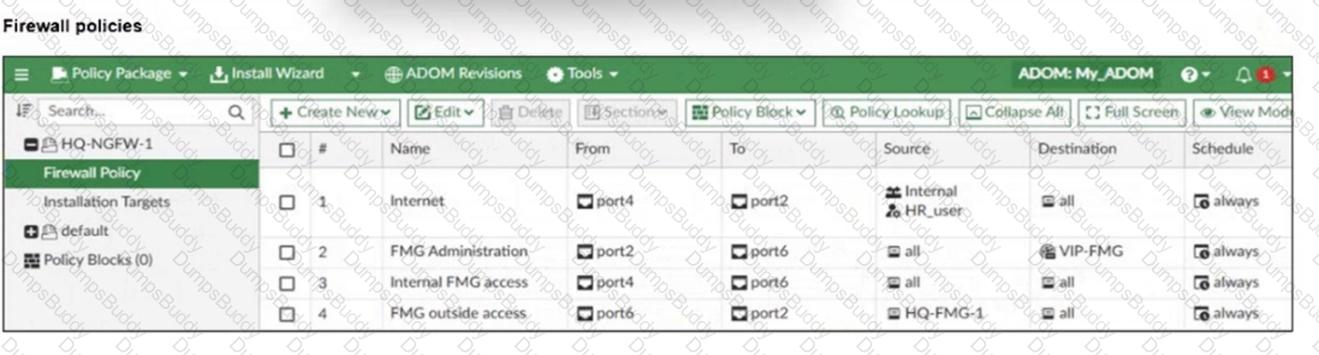

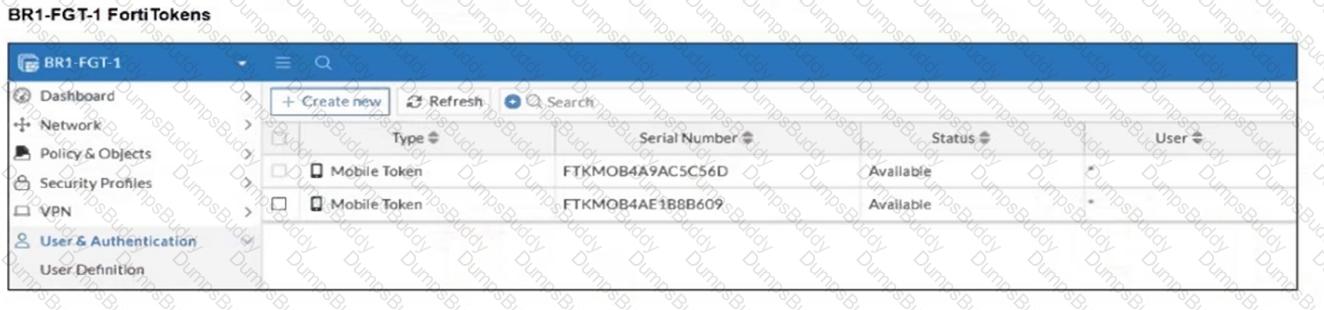
An administrator needs to push a FortiToken Mobile to assign it to HR_user in the HQ-NGFW-1.
However, when installing the policy package, they receive the following error message:
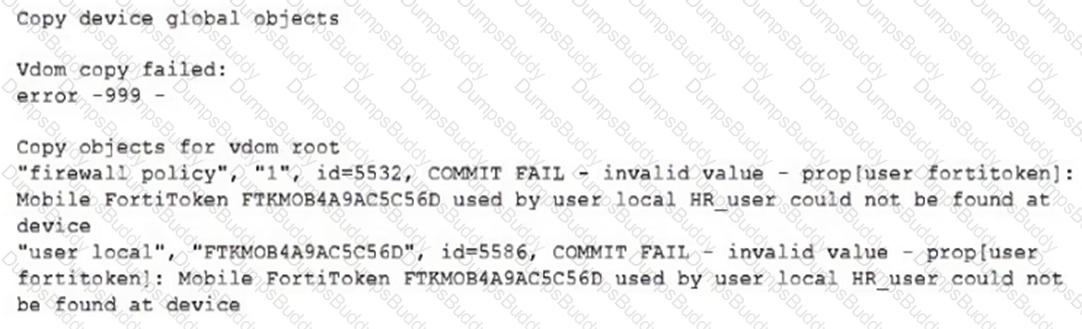
Why is the administrator not able to install the FortiToken on the HQ-NGFW-1 firewall?
Company policy dictates that any time a change is made to a policy package on FortiManager an ADOM revision is created before the change installed, and that revision is held for a minimum of 90 days.
Over the past three months, each installed change has resulted in several unused policies and duplicate objects.
The FortiManager administrator plans to upgrade the FortiGate devices and then upgrade the FortiManager ADOM from version 7.4 to 7.6.
Which action can the administrator take to avoid slow ADOM upgrades?
Refer to the exhibits.
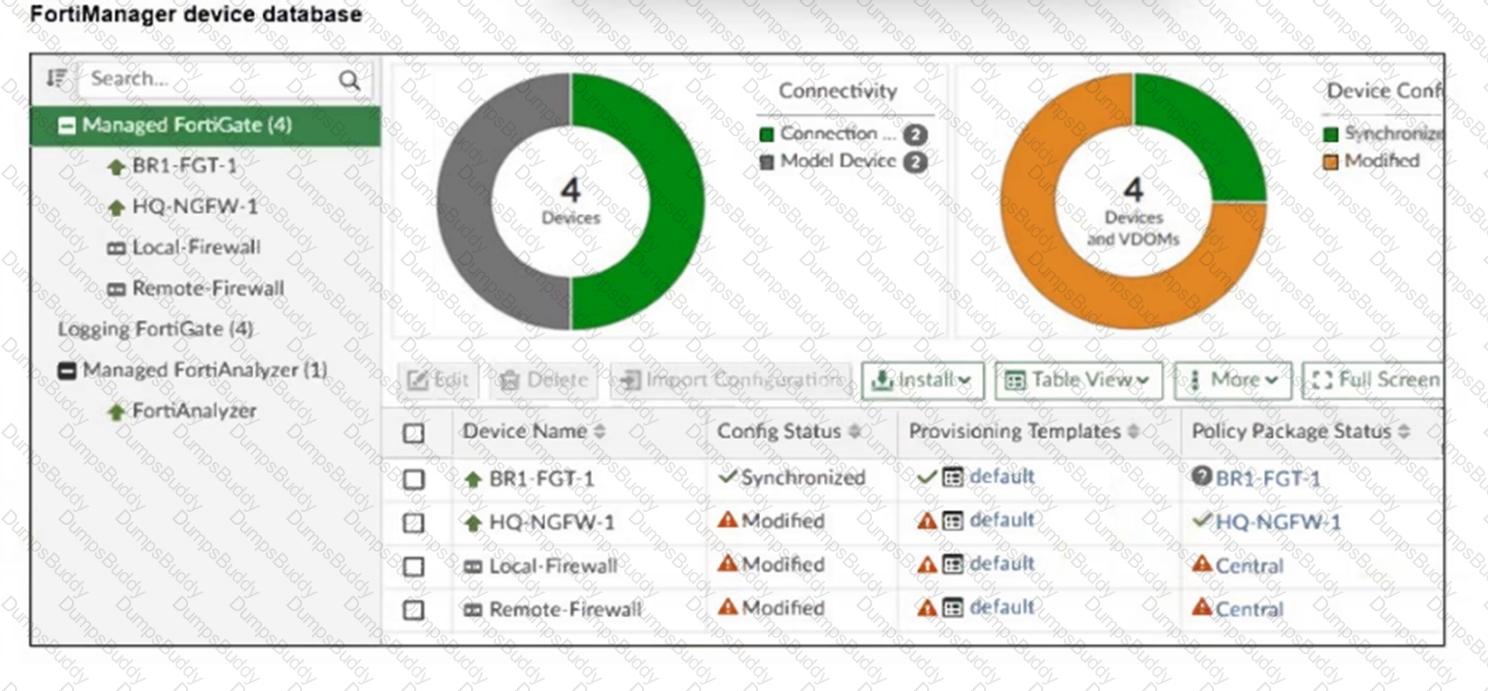
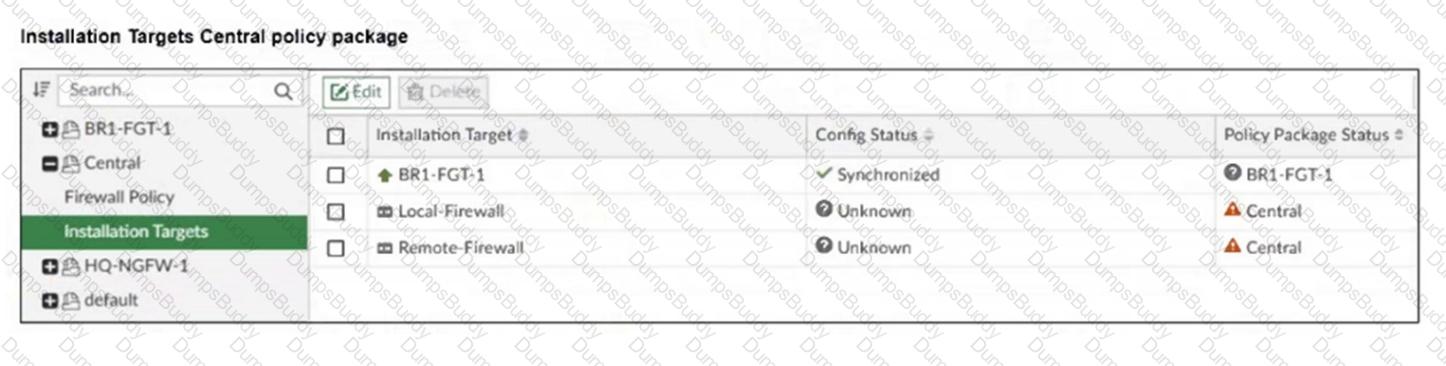
An administrator has been asked to install the same policies from a central policy package onto the BR1-FGT-1 firewall.
The administrator added BR1-FGT-1 as a target in the central policy package installation.
What should the administrator do when reinstalling the central policy package on the BR1-FGT-1 firewall?
Refer to the exhibit.
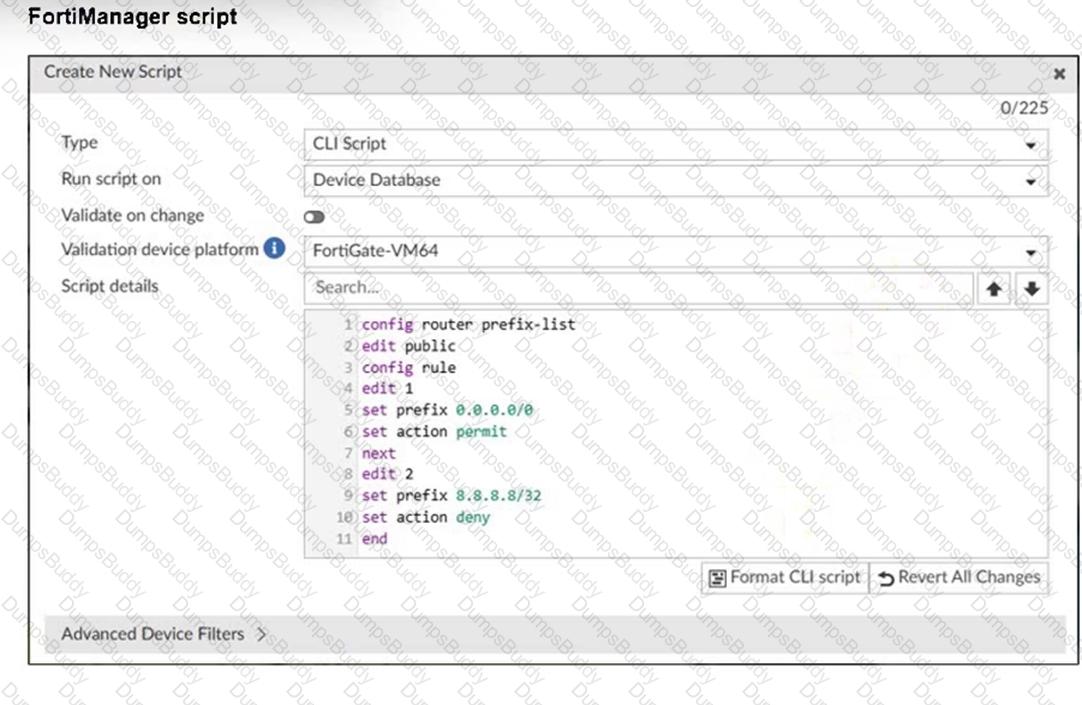
Which two results occur if you run the script using the Device Database option? (Choose two.)
An administrator assigned the Training global policy package to the Branches policy package in ADOM1. Later, the administrator created a new policy package named Remotes on ADOM1.
What should the administrator do to sync the Training global policy package with the Remotes policy package in ADOM1?
An administrator notices that CLI scripts are failing on some FortiGate devices because they use different FortiOS versions.
Which two actions should the administrator take to fix the failing CLI scripts? Choose two answers.
An administrator has assigned a global policy package to a new ADOM named ADOM1.
What will happen if the administrator tries to create a new policy package in ADOM1?
Refer to the exhibit.
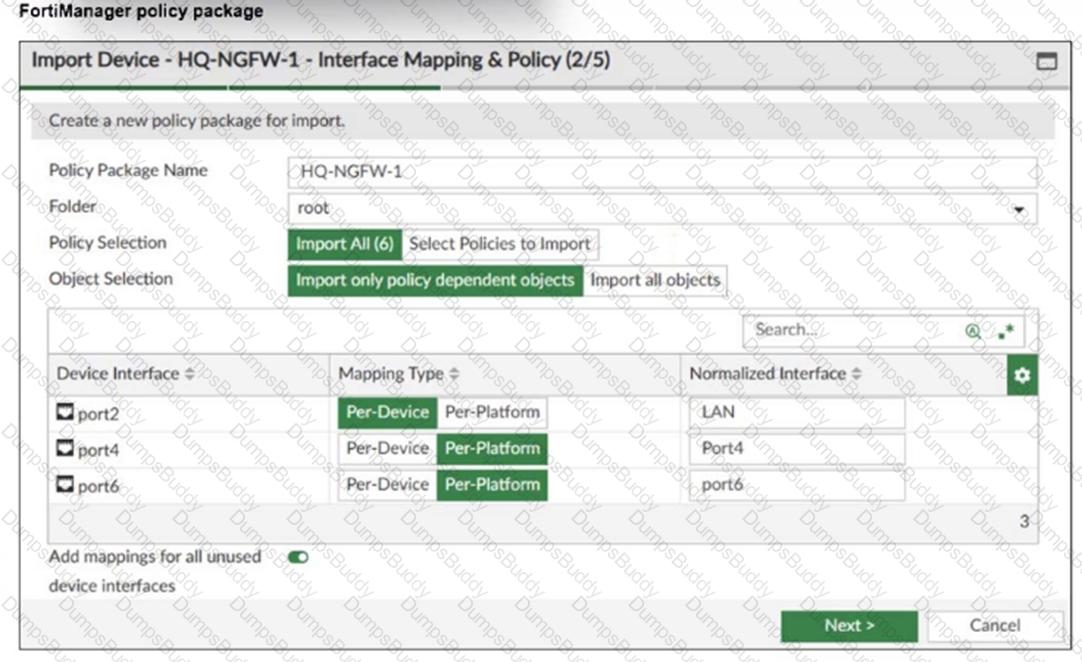
An administrator added a FortiGate device to FortiManager with the default object settings at the ADOM layer.
What can you conclude from the import policy package process of the HQ-NGFW- 1 device?
Refer to the exhibits.
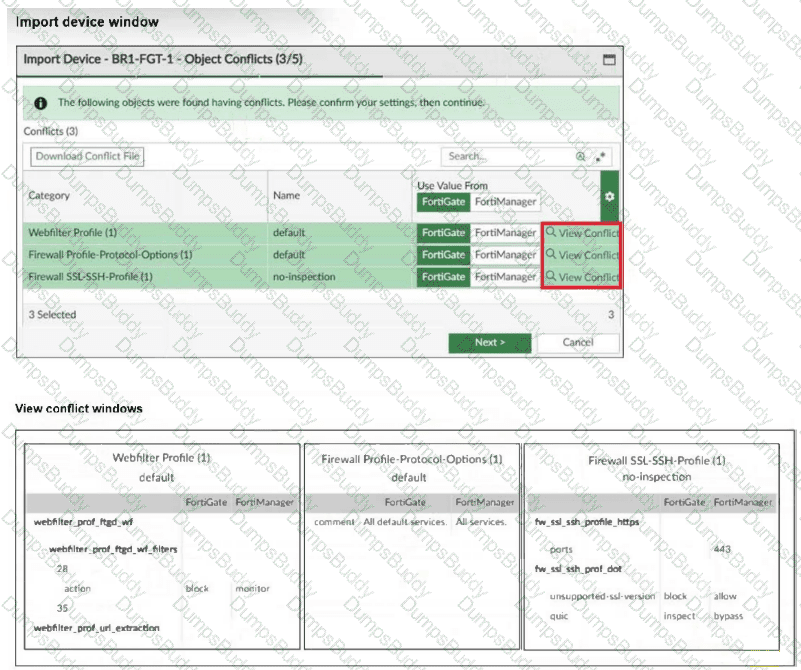
An administrator added BR1-FGT-1 to FortiManager and started importing the policy package. During the process, they saw that they need to choose values from FortiGate or FortiManager.
Which conclusion is most clearly supported by the exhibits?
Refer to the exhibits.
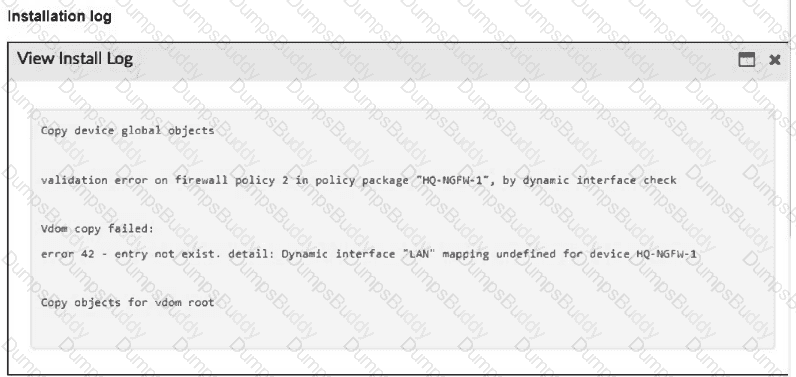
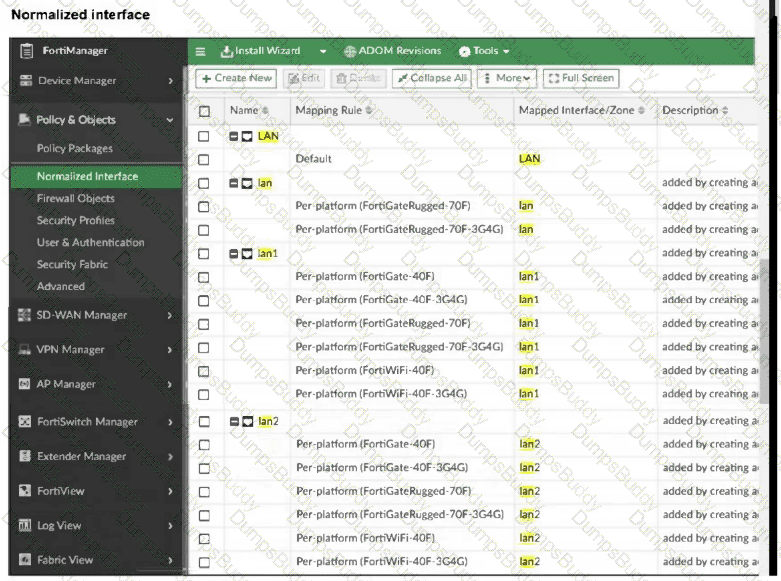
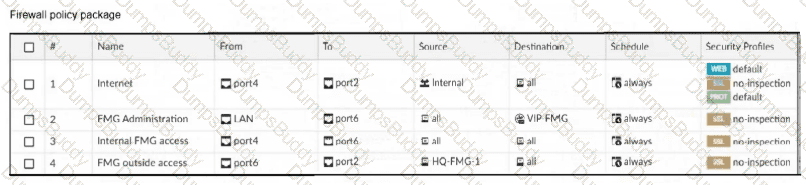
An administrator must replace the source LAN interface in policy ID 2 on their FortiGateRugged-70F.
However, when they try to install the policy package, they receive the error shown in the exhibit.
What should the administrator do to resolve the error?
Refer to the exhibit.
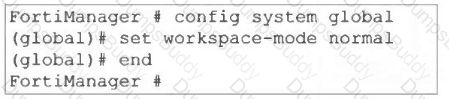
What are two results from the configuration shown in the exhibit? Choose two answers.
An administrator configures a new BGP peer in the FortiManager device-level database of FortiGate. They reinstall the policy package to the managed FortiGate device without any errors. However, when the administrator logs in to FortiGate, they do not see the BGP configuration changes.
What is the most likely reason why FortiManager did not push the BGP peer changes to FortiGate?
A FortiManager administrator opens the revision history and choose to revert to a previous version.
What will this action do to the current device configuration?
Refer to the exhibits.
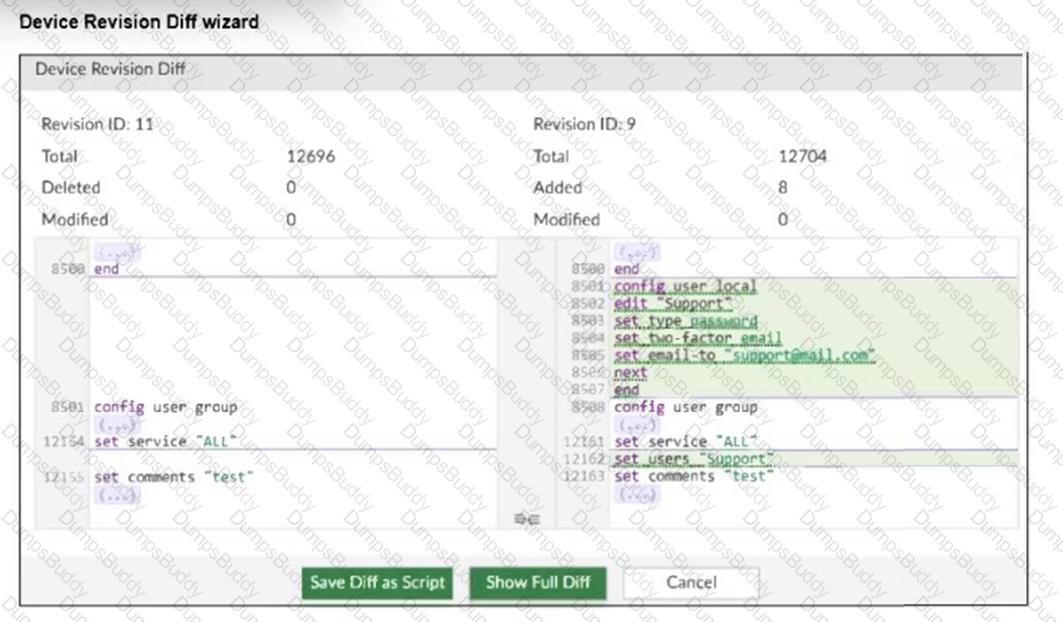

An administrator needed to recover all the configurations related to the user, Support. The configurations were saved in configuration revision ID 9.
The administrator reverted the configuration using the Configuration Revision History window and received the CLI output shown in the exhibit.
What can you conclude from the CLI output?
Refer to the exhibit.
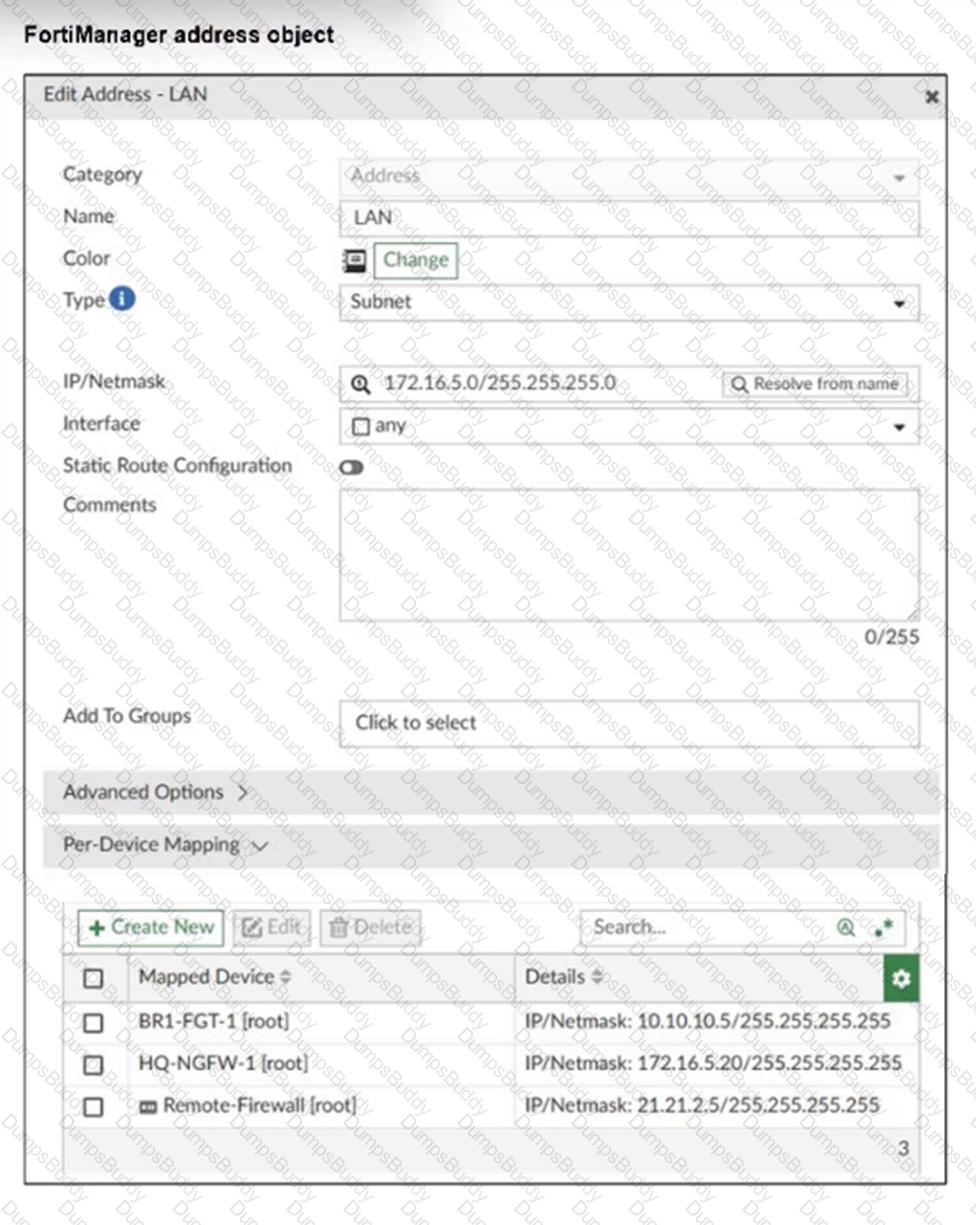
An administrator has created a firewall address object that is used in multiple policy packages for multiple FortiGate devices in an ADOM.
After the installation operation is performed, which IP/netmask will be installed on Remote-Firewall [VDOM1] for the LAN firewall address object?
What allows FortiManager to run CLI scripts on FortiGate devices without prompting for SSH authentication each time?
PDF + Testing Engine

Testing Engine
PDF (Q&A)